
Home / Features / Subs & Payments
FEATURES
Subs collected, not chased
Raise subs straight from matches and training, let players pay in the app or by direct debit, and give everyone a clear view of what they owe and why. No spreadsheets, no awkward conversations.
Want to see whether it fits your club? Talk to the SubSync team or email info@sub-sync.co.uk.
Raise subs straight from the match
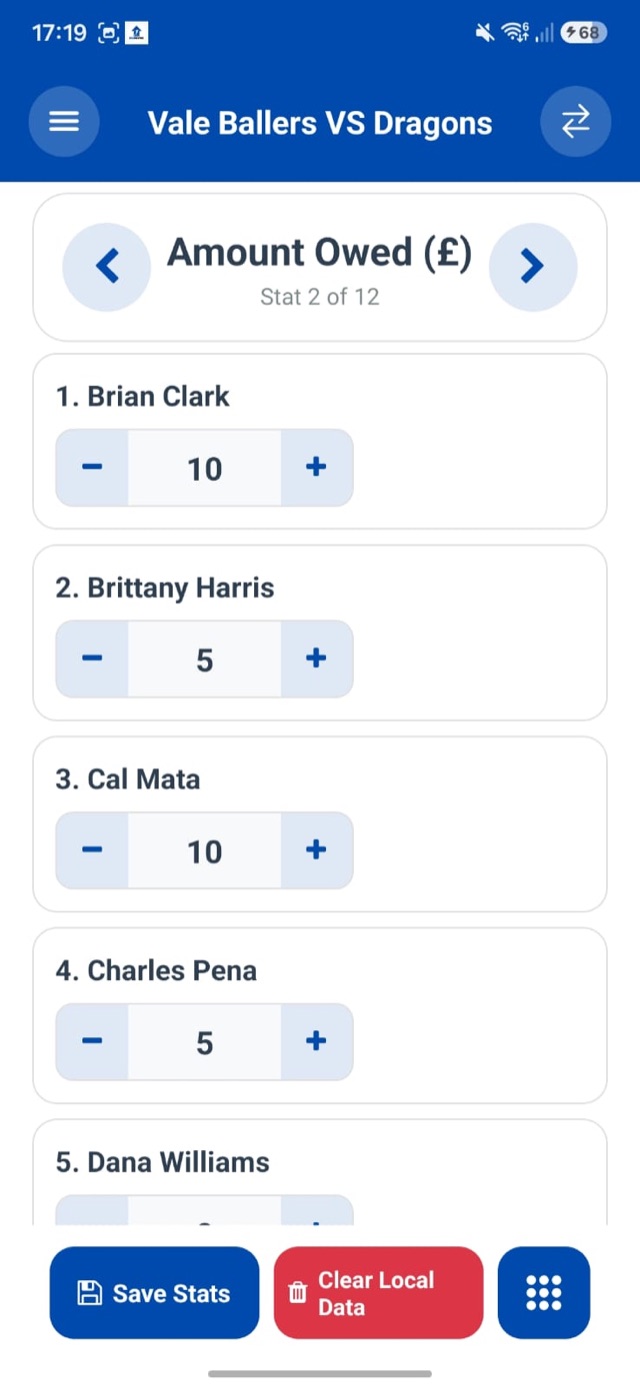
Once the game's played, raise match fees for everyone who played, right from the fixture or training session. Set different prices for different player groups or registration types, so students, juniors and full members are each charged the right amount. You can change any player's amount with a tap while you log the match stats.
Anything else, like kit, registration, socials or fines, can be logged as a custom sub under your own finance categories.
Every way to pay, all in one place
Connect GoCardless and players can pay in the app or set up a direct debit. Each payment is matched to the right player automatically. If someone pays some other way, you log it in seconds and the balance stays right.
📱
Pay in the app
Players clear their balance in a couple of taps through GoCardless. The payment is attributed to them and logged against what they owe automatically.
🔁
Direct debit
Players set up a mandate once and SubSync collects what they owe automatically, weekly or monthly. Nobody needs reminding.
💷
Cash & transfers
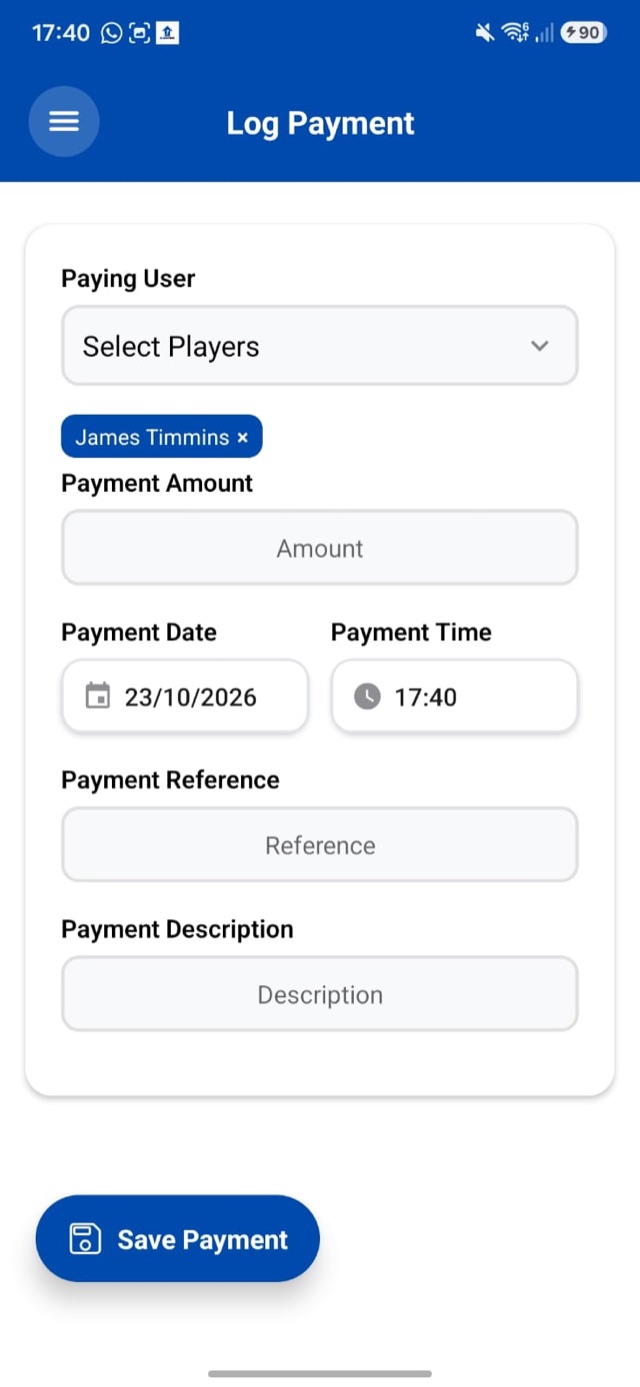
Cash in the changing room, a bank transfer, a payment link? Log it against the player with a date, reference and note, and their balance updates at once.
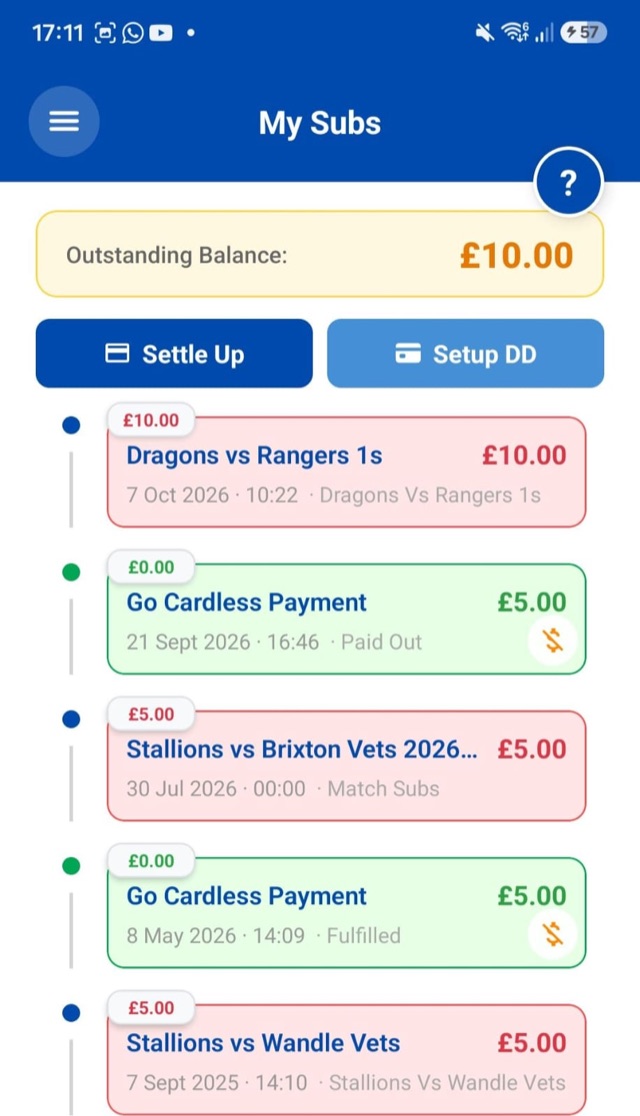
OUTSTANDING BALANCE — £10.00
- Dragons vs Rangers 1s — £10.00 owed
- GoCardless payment — £5.00 paid
- Stallions vs Brixton Vets — £5.00 owed
Every line traceableWhich match, how much, and when it was paid
Everyone sees exactly what they owe, and why
Every player can log in and see their balance plus a timeline of every sub raised and every payment made: which match, which session, how much, and when it was paid.
With nothing hidden in the treasurer's spreadsheet, there's nothing to argue about. Arguments about who owes what end, and the treasurer stops being the bad guy.
Reminders go out without you
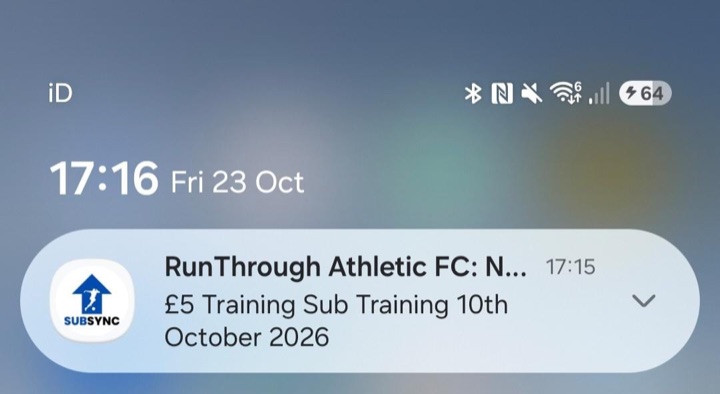
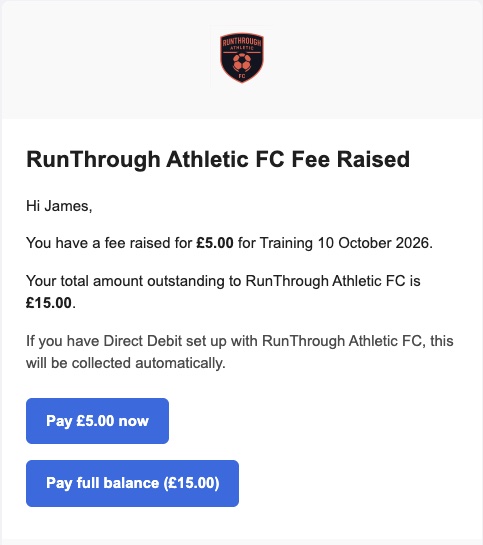
Whenever a sub is raised, players get an email and a push notification. The email shows the new fee and their total balance, with buttons to pay just that fee or clear the lot through GoCardless. The payment is logged in the app automatically, and anyone on direct debit is told it will be collected for them.
Players are also told when a fee changes. If anyone is still behind, send a reminder to just the players who owe, without messaging the whole squad.
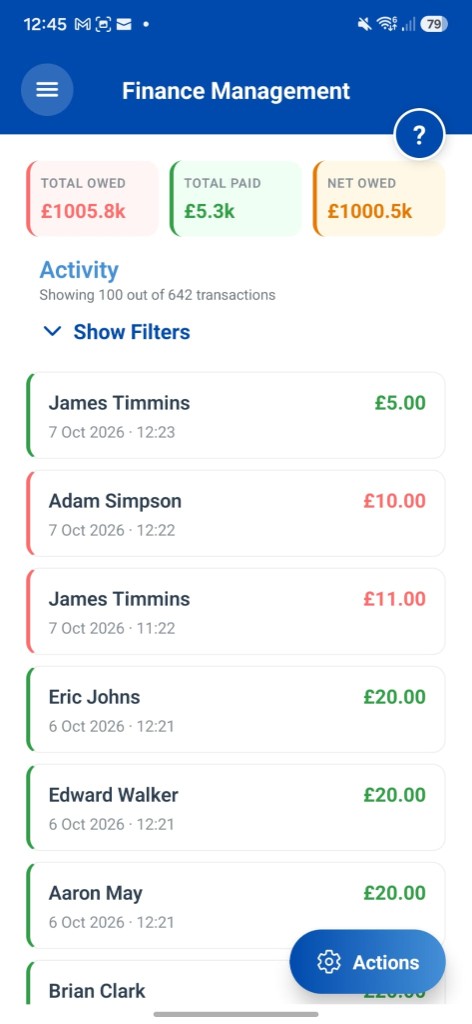
The whole club's finances at a glance
The finance dashboard shows the treasurer and committee what's been raised, what's been collected and who's outstanding, across every team in the club.
If a fee or payment was entered wrong, edit or delete it and every balance updates. Only people you give finance roles can make changes.
NO HIDDEN COSTS
Tracking is free. Always.
Raising subs, logging payments and showing players their balance costs nothing on the Free plan. Payments collected through GoCardless carry GoCardless's fee plus 1% to SubSync. On Premium, SubSync takes no fee.
Subs & Payments FAQs
The questions treasurers always ask.
Do we have to use GoCardless to use SubSync finances?
No. You can track every sub and log payments made by cash, bank transfer or any other channel without connecting GoCardless at all. GoCardless is there when you want players to pay in the app or set up a direct debit.
How do payments get matched to the right player and fee?
Automatically. Payments made through GoCardless, whether from the app, an email link or a direct debit, are attributed to the player and logged against their balance with no manual reconciliation.
Can players see what they owe?
Yes. Every player can log in and see their balance and a full timeline of every sub raised and every payment made, so they know exactly what they owe and why.
What does it cost to take payments?
Tracking subs and logging payments is free. Payments collected through GoCardless carry GoCardless’s own fee, plus a 1% SubSync fee on the Free plan. Premium has no SubSync fee.
Stop chasing subs in the group chat
Free for every side you run. Raise your first sub in minutes.
Game, Set, Sync'd.